Post by Willeke on Feb 22nd, 2008 at 3:31pm
If you have a picture program on your computer it is not hard, even paint can do it.
(Use the search or help function if needed to find how.)
In paint, open the picture.
I have the Dutch version, so I have to guess what the English names for the functions are:
Go to bar above the picture, it should have about 6 words, one should read picture, or a word like that.
Open the roll down menu, it has several options, one lets you stretch a picture, that is the one you need.
Stretch by less than 100 percent, both directions the same percentage.
Save or save as and add a number and use that copy.
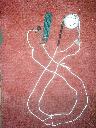
I choose 10% in both directions on the sling I had open, see attached picture.
Willeke
Added:
Sorry, do not do what I did, something went wrong. Happens when you use a program you rarely use.
Added-2:
Found it, you next reduce the size of the picture field.
Do that to the same size as you reduced the picture, might be tryal and error at first.
Again in 'picture' now go to properties, reduce the numbers to the size your actual picture is.
 jaxsling.JPG (23 KB | )
(Use the search or help function if needed to find how.)
In paint, open the picture.
I have the Dutch version, so I have to guess what the English names for the functions are:
Go to bar above the picture, it should have about 6 words, one should read picture, or a word like that.
Open the roll down menu, it has several options, one lets you stretch a picture, that is the one you need.
Stretch by less than 100 percent, both directions the same percentage.
Save or save as and add a number and use that copy.
I choose 10% in both directions on the sling I had open, see attached picture.
Willeke
Added:
Sorry, do not do what I did, something went wrong. Happens when you use a program you rarely use.
Added-2:
Found it, you next reduce the size of the picture field.
Do that to the same size as you reduced the picture, might be tryal and error at first.
Again in 'picture' now go to properties, reduce the numbers to the size your actual picture is.
jaxsling.JPG (23 KB | )